
Experience as a manufacturing engineer has taught me the importance of having well organized data at-the-ready. The goal of data analysis should be to create a pipeline that can be reused instead of spending time on manual data manipulation. In this project we will review the DAG python file used by Airflow to demonstrate manipulating data from a college course catalogue. The goal of this project was to design a process that could automate data scraping, data parsing, and data analysis. Analysis will consist of gathering the total word count per title across multiple webpages.
Setup Airflow
Running Airflow in Docker
We will first install Airflow in a docker container. If we navigate to the same directory as docker-compose.yaml, we can run the console command to start the container.
1
C:\Users\VP1050\OneDrive\Documents> docker-compose up
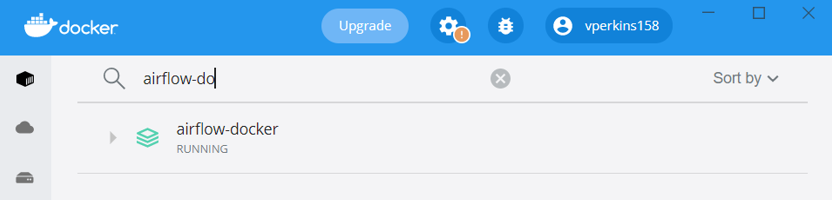
The default airflow credentials are * airflow * for username and password. This example will run on localhost:8080.
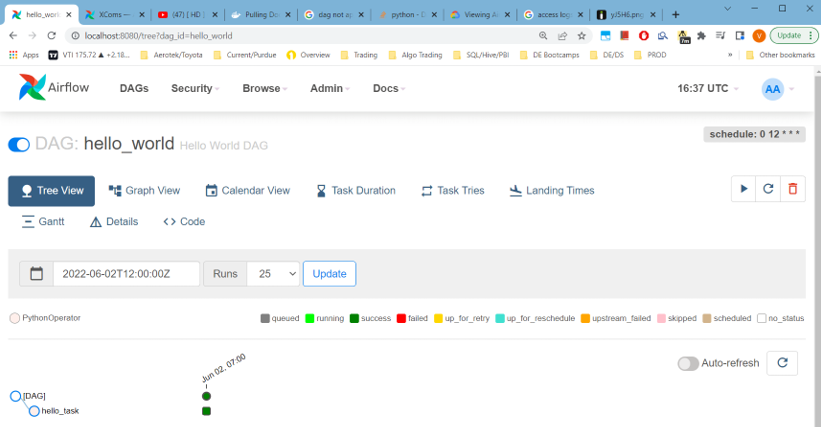
Data Extraction in Airflow DAG (Directed Acyclic Graph)
Workflows within Airflow consist of operators. These operators provide the framework for task automation. Each task requires an operator to define how the task should be run. The main focus will be the Python Operator which allows for automated calling of Python functions. All of the code snippets in this post are included in a single python file acting as an Airflow DAG.
Extracting Web Data
Import statements required for airflow are under #The Dag Object comment.
1
2
3
4
5
6
7
8
9
10
11
12
13
#The DAG Object
from airflow import DAG
from datetime import timedelta
from airflow.operators.bash import BashOperator
from airflow.utils.dates import days_ago
from airflow.operators.python import PythonOperator

#Task Functions
import urllib.request
import time
import glob
import os
import json
We will define a Python function to be executed within the DAG. We will use the urllib python library to extract the data from specific urls and save the data to files. This function is all that is needed for webpage extraction.
1
2
3
4
5
6
7
8
9
10
11
12
13
14
15
16
17
18
19
20
21
22
23
24
25
def catalog():
    def pull(url):
        response = urllib.request.urlopen(url).read()
        data = response.decode('utf-8')
        return data

    def store(data, file):
        f = open(file, 'w+')
        f.write(data)
        f.close()
        print('wrote file: ' + file)

    urls = ['http://student.mit.edu/catalog/m1a.html',
    'http://student.mit.edu/catalog/m1b.html',
    'http://student.mit.edu/catalog/m1c.html',
    'http://student.mit.edu/catalog/m2a.html']

    for url in urls:
        data = pull(url) #data = response from url
        index = url.rfind('/') + 1
        file = url[index:] #filename will be unique portion url
        store(data, file)
        print('pulled: ' + file)
        print('--- waiting ---')
        time.sleep(11)
Data Transformation in an Airflow DAG
Combine Data Files
The fun begins in transforming the data. Since we are searching for total word count across all url titles, we will start by combining the files from each scraped url:
1
2
3
4
5
def combine():
    with open('combo.txt', "w+") as outfile:
        for file in glob.glob("*.html"):
            with open(file) as infile:
                outfile.write(infile.read())
Extract Titles Using Beautiful Soup
We will then extract the titles from each url and save those titles to a .json file to be counted.
1
2
3
4
5
6
7
8
9
10
11
12
13
14
15
16
17
18
19
20
def titles():
    from bs4 import BeautifulSoup
    def store_json(data,file):
        with open(file, 'w', encoding='utf-8') as f:
            json.dump(data, f, ensure_ascii=False, indent=4)
            print('wrote file: ' + file)
    #Open and read the large html file generated by combine()
    file = open("combo.txt", "r")
    html = file.read()
    #the following replaces new line and carriage return char
    html = html.replace('\n', ' ').replace('\r', '')
    #the following creates an html parser
    soup = BeautifulSoup(html, "html.parser")
    results = soup.find_all('h3')
    titles = []

    # tag inner text
    for item in results:
        titles.append(item.text)
    store_json(titles, 'titles.json')
Clean Data
The titles loaded into the json file may contain unneeded punctuation, so we will remove those characters using the following function:
1
2
3
4
5
6
7
8
9
10
11
12
13
14
15
16
17
18
19
20
21
def clean():
    #complete helper function definition below
    def store_json(data,file):
        with open(file, 'w', encoding='utf-8') as f:
            json.dump(data, f, ensure_ascii=False, indent=4)
            print('wrote file: ' + file)
    with open("titles.json", "r") as file:
       titles = json.load(file)
       # remove punctuation/numbers
       for index, title in enumerate(titles):
           punctuation= '''!()-[]{};:'"\,<>./?@#$%^&*_~1234567890'''
           translationTable= str.maketrans("","",punctuation)
           clean = title.translate(translationTable)
           titles[index] = clean

       # remove one character words
       for index, title in enumerate(titles):
           clean = ' '.join( [word for word in title.split() if len(word)>3] )
           titles[index] = clean

       store_json(titles, 'titles_clean.json')
Get Word Count
Finally we will count the words within our titles_clean.json by converting the titles_clean.json into a python list. The python Counter class will count each element of the input and output a dictionary. First see an example of the counter class used on an iterable below:
1
2
3
4
'''Counter Example'''
>>> # Use a list as an argument
>>> Counter(list("mississippi"))
Counter({'i': 4, 's': 4, 'p': 2, 'm': 1})
Let’s define the count function that will save our final output as “words.json”.
1
2
3
4
5
6
7
8
9
10
11
12
13
14
15
16
17
18
19
def count_words():
    from collections import Counter

    def store_json(data,file):
        with open(file, 'w', encoding='utf-8') as f:
            json.dump(data, f, ensure_ascii=False, indent=4)
            print('wrote file: ' + file)

    with open("titles_clean.json") as file:
        titles = json.load(file)
        words = []

        # extract words and flatten
        for title in titles:
            words.extend(title.split())

        # count word frequency
        counts = Counter(words)
        store_json(counts, 'words.json')
Below is an example of the “words.json” file that will be created once all Python functions are run in Airflow:
1
2
3
4
5
6
7
8
9
10
11
12
13
14
15
16
17
18
{
    "Classical": 6,
    "Mechanics": 61,
    "III": 15,
    "Electromagnetic": 3,
    "Theory": 94,
    "Mathematical": 15,
    "Methods": 54,
    "in": 775,
    "Nanophotonics": 2,
    "Quantum": 28,
    "II": 74,
    "Relativistic": 3,
    "Field": 20,
    "Statistical": 26,
    "Computational": 51
}
Running Python Functions using Airflow
The above functions could be run manually within a python script, but airflow provides schedule interval functionality to automate the task on a user defined schedule.
1
2
3
4
5
6
7
8
9
10
11
12
13
14
15
16
17
18
19
20
21
22
23
24
25
26
27
28
29
30
31
32
33
34
35
36
37
38
39
40
41
42
43
44
45
with DAG(
   "assignment",
   start_date=days_ago(1),
   schedule_interval="@daily",catchup=False,
) as dag:
   # t's are tasks
    t0 = BashOperator(
       task_id='task_zero',
       bash_command='pip install beautifulsoup4',
       retries=2
    )
    t1 = PythonOperator(
       task_id='task_one',
       depends_on_past=False,
       python_callable=catalog
    )

    t2 = PythonOperator(
        task_id='task_two',
        depends_on_past=False,
        python_callable=combine
    )

    t3 = PythonOperator(
        task_id='task_three',
        depends_on_past=False,
        python_callable=titles
    )

    t4 = PythonOperator(
        task_id='task_four',
        depends_on_past=False,
        python_callable=clean
    )

    t5 = PythonOperator(
        task_id='task_five',
        depends_on_past=False,
        python_callable=count_words
    )

   #define tasks from t2 to t5 below


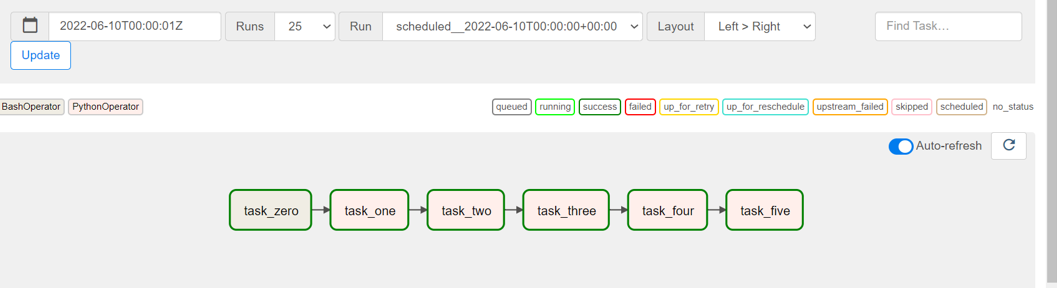
    t0>>t1>>t2>>t3>>t4>>t5
The last line of the code snippet tells airflow in which order to run the tasks. In this case, each task must be completed before the next is run. Running the tasks:
- In the Airflow UI navigate to the graph view.
- Right-click on task 0 and select run. The remaining tasks will then complete in order.
The image below shows the tasks running in Airflow.
Conclusion
With Airflow we can automate command lines and python functions on a set schedule. This could provide a more streamlined workflow for teams of analysts in any industry. The project files can be downloaded on Github.